Blog

Why is There Frost in my Freezer?
Freezer frost can cause a wide range of problems that impact the quality of your food and weaken your freezer’s efficiency. But do you know what causes frost in a freezer? In this blog post, we’ll explore what is freezer frost, the reasons for frost buildup, how to prevent frosting in the freezer, and more.

Read more

Samsung Dishwasher Error Codes

samsung dishwasher error code

Samsung dishwasher error codes can appear on your digital display screen when there is a problem with the normal operations of your Samsung dishwasher. By understanding the Samsung dishwasher error codes, you can solve any problems that may arise. Models with a digital display will display an error code when something is wrong with a particular part of your dishwasher. Samsung dishwasher troubleshooting is something you can do on your own without being an expert in appliances.

Continue reading

How to Repair a Beeping Fridge

Fridge installation services Markham

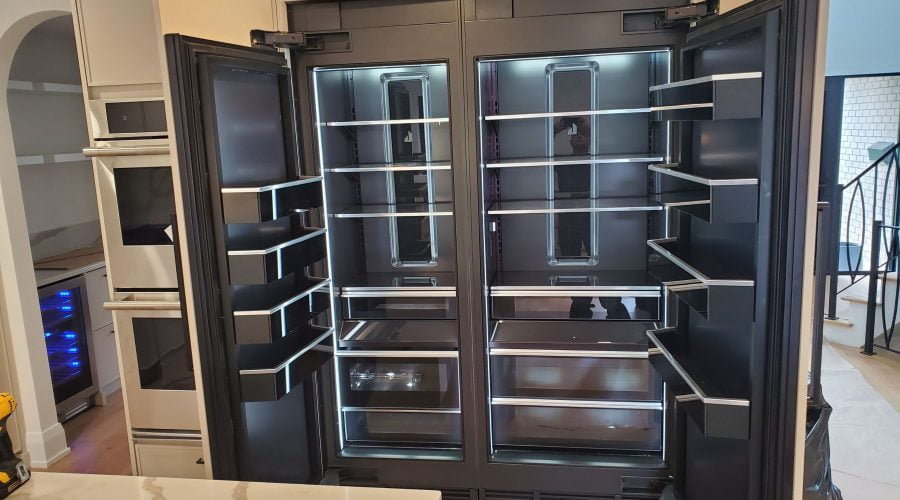
We have all had this experience. We get something out of the fridge while we binge on the latest Netflix release, and 30 seconds later, the fridge begins to beep. A quick nudge at the door solves the problem…until it doesn’t. Why is my fridge beeping with the door closed? This blog will outline common causes, what you can do, and when you need to call in the professionals.

Read more

What to do if a washing machine won’t fill with water?

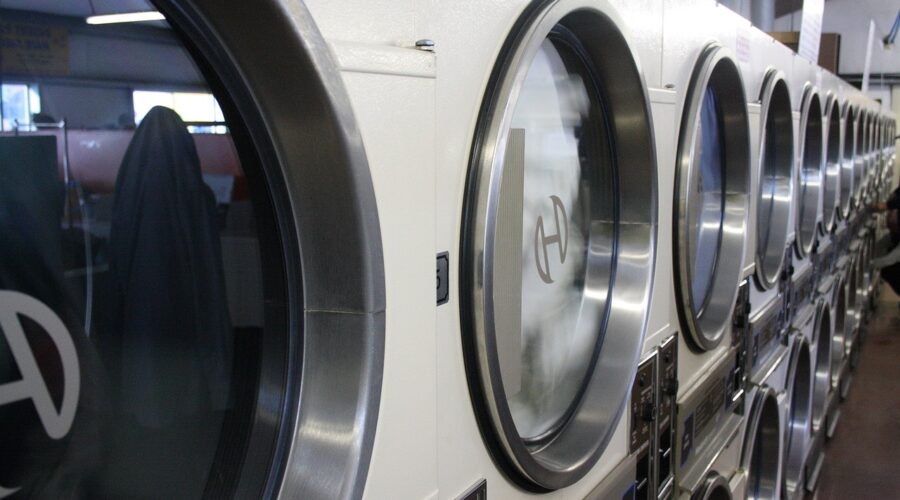
One of the conveniences of modern living is being able to put your clothes to wash and step away while the washing machine does its thing. When the washing machine fills slowly, doing laundry becomes more time-consuming. The frustration deepens when there is no water going into the washing machine at all.

Read more

Whirlpool Washer Error Codes

Washer not drain Toronto

Whirlpool washing machines are known for reliability, but like any appliance, they can run into problems over time. When something goes wrong, the washer will often display an error code to help pinpoint the issue.

This guide explains where Whirlpool washer error codes appear, what each code means, what usually causes it, what you can safely check, how to reset your Whirlpool washer, and when professional repair is the better option.

Where Whirlpool Washer Error Codes Appear

Whirlpool washer error codes typically show on the digital display panel during or after a wash cycle.

  • Codes may appear when filling, draining, spinning, or heating
  • Most Whirlpool washer codes use letters and numbers such as FH, F02, or F09
  • In many cases, the washer will stop running to prevent damage

Write the code down before resetting or unplugging the washer.

Whirlpool Washer Error Codes Explained

Whirlpool Washer Error Code Finder

Select your Whirlpool washer error code to see what it means and what to check first.

What this means

What you can try

    Need professional help?
    Alpha Tech Appliance Repair — 647-930-6966
    Call Now

    FH – No Water Detected

    This error appears when the washer cannot detect enough water entering the drum.

    Why it happens:

    • Water supply valves are closed
    • Low household water pressure
    • Kinked or blocked inlet hoses
    • Clogged inlet screens

    What you can do:

    • Make sure both water supply valves are fully open
    • Check inlet hoses for kinks
    • Clean the inlet filters
    • Press Pause/Cancel twice to clear the code

    F02 – Drain Time Exceeded

    F02 means the washer is taking too long to drain. This often appears after a Sud error.

    Why it happens:

    • Clogged drain hose or drain pump
    • Blocked drain filter
    • Failing drain pump

    What you can do:

    • Check the drain hose for kinks or blockages
    • Make sure the drain path is clear

    If the washer still won’t drain, the pump may need professional replacement.

    SUD – Excess Suds Detected

    This code appears when too many soap suds prevent proper spinning.

    Why it happens:

    • Too much detergent
    • Non-HE detergent used

    What you can do:

    • Allow the washer to complete the suds-reduction cycle
    • Switch to HE detergent only
    • Use less detergent going forward

    F05 – Water Temperature Sensor Error

    This error indicates a problem with the water temperature sensor or heating circuit.

    Why it happens:

    • Faulty temperature sensor
    • Heating element issue
    • Loose wiring

    What you can do:

    • Reset the washer
    • If the code returns, professional testing is required

    F06 – Drive Motor Tachometer Error

    F06 appears when the control board cannot detect motor speed.

    Why it happens:

    • Loose wiring between the motor and control board
    • Motor control unit (MCU) issue
    • Drive motor problem

    What you can do:

    • Reset the washer
    • Persistent F06 errors require technician diagnosis

    F07 – Motor Control Unit Error

    This error shows up when the washer detects a problem in the motor control unit.

    Why it happens:

    • Electrical fault in the MCU
    • Wiring issues between control boards

    What you can do:

    • Reset the washer
    • If the error returns, professional repair is recommended

    F09 – Overflow Error

    F09 means the washer senses too much water in the drum.

    Why it happens:

    • Faulty pressure switch
    • Inlet valve not shutting off
    • Drain system restriction

    What you can do:

    • Check that the drain hose is not blocked
    • Reset the washer

    Overflow errors should be handled carefully to avoid leaks or flooding.

    F10 – MCU Overheating Error

    This error appears when the motor control unit overheats and shuts down.

    Why it happens:

    • Poor ventilation
    • Electrical load issues
    • MCU failure

    What you can do:

    • Allow the washer to cool
    • Make sure the washer has proper airflow

    Repeated overheating requires professional service.

    F11 – Communication Error

    F11 indicates a communication failure between the washer’s control boards.

    Why it happens:

    • Loose or damaged wiring
    • Failed control board

    What you can do:

    • Reset the washer
    • If the error continues, board testing or replacement may be needed

    F13 – Dispenser Circuit Error

    This code appears when the detergent dispenser motor cannot operate correctly.

    Why it happens:

    • Mechanical blockage
    • Electrical connection issue
    • Control board problem

    What you can do:

    • Check that the dispenser drawer moves freely
    • Reset the washer

    F14 – EEPROM Error

    This error means the washer cannot read stored data from memory.

    Why it happens:

    • Control board failure
    • Software corruption

    What you can do:

    • Unplug the washer for 2–5 minutes
    • Plug it back in

    If the code returns, control board replacement is usually required.

    F15 – Motor Control Error

    F15 appears when multiple motor-related issues occur during a wash cycle.

    Why it happens?

    • Wiring problems
    • Drive belt issues
    • Motor or control board failure

    What you can do:

    • Reset the washer
    • Professional inspection is recommended if the error persists

    How to Reset a Whirlpool Washer

    To reset most Whirlpool washers:

    1. Turn the washer off
    2. Unplug it from the power outlet
    3. Wait 5 minutes
    4. Plug it back in
    5. Restart the cycle

    If the same error code returns, the issue is not temporary.

    When to Call a Washer Repair Technician

    You should stop troubleshooting and call for service if:

    • The washer will not drain or spin
    • Error codes keep returning
    • You notice leaks, burning smells, or loud noises
    • The washer shuts down mid-cycle repeatedly

    Continuing to run a washer with unresolved error codes can cause further damage.

    Contact Us – Whirlpool Washer Repair in Toronto

    Whirlpool washer error codes help identify problems, but accurate diagnosis often requires professional tools and experience. If your washer is not draining, not spinning, or keeps displaying error codes, expert service is the safest option.

    Alpha Tech Appliance provides dependable Whirlpool washer repair in Toronto and surrounding areas. Our experienced technicians handle drainage issues, motor faults, control board errors, and sensor failures safely and efficiently.

    Contact Alpha Tech Appliance today to schedule your Whirlpool washer repair and restore your laundry routine with confidence.

    Samsung Washer Error Codes

    Washer not drain Toronto

    Samsung washing machines are built with a smart diagnostic system that displays error codes when something isn’t working properly. These Samsung washer error codes help identify problems early, prevent further damage, and guide you toward the right solution.

    This guide explains what Samsung washing machine error codes mean, why they appear, what you can safely check, how to reset your washer, and when it’s best to call a professional technician in Toronto.

    Where Samsung Washer Error Codes Appear

    Samsung washer error codes appear on the digital display panel during or after a wash cycle.

    • Codes may show while filling, draining, spinning, or heating
    • The washer may pause or stop running for safety
    • Most codes include letters and numbers, such as 5E, UE, or 4E

    Always note the error code before resetting the washer.

    Samsung Washing Machine Error Codes Explained

    Samsung Washer Error Code Finder

    Select the code on your Samsung washer display to see what it means and what to do next.

    What this means

    What you can try

      Need professional help?
      Alpha Tech Appliance Repair — 647-930-6966
      Call Now

      3E / bE – Motor Error

      This error appears when the washer detects a problem with the motor or motor control.

      Why it happens:

      • Temporary control issue
      • Motor overload

      What you can do:

      • Turn the washer off
      • Wait 30 seconds
      • Turn it back on and start a new cycle

      If the error keeps returning, the motor or control board may need service.

      E4 / 4E – Water Supply Error

      This code means the washer is not filling with enough water.

      Why it happens:

      • Water supply turned off
      • Low water pressure
      • Kinked or blocked inlet hoses

      What you can do:

      • Make sure both water valves are fully open
      • Straighten the hoses
      • Check for proper water pressure

      4E1 / 4E2 – Water Temperature Error

      This error occurs when the washer detects incorrect water temperature.

      Why it happens:

      • Hot and cold hoses connected incorrectly
      • Water entering at the wrong temperature

      What you can do:

      • Make sure the cold water hose is connected to the cold tap

      5E – Drain Error

      One of the most common Samsung washer error codes. It means the washer is not draining properly.

      Why it happens:

      • Clogged drain pump filter
      • Kinked drain hose
      • Blocked drain line

      What you can do:

      • Clean the drain pump filter
      • Check the drain hose for kinks or blockages

      6E / 6F – Water Heater Error

      This error indicates a problem with the washer’s heating system.

      What you can do:

      • This issue usually requires professional diagnosis

      8E – Overcurrent Error

      This code means the washer is drawing too much electrical current.

      What you can do:

      • Turn the washer off
      • Wait 30 seconds
      • Restart the cycle

      If the error persists, professional service is recommended.

      9E1 / 9E2 – Power or Voltage Error

      This error appears when there is unstable voltage or power fluctuation.

      What you can do:

      • Restart the washer after 30 seconds
      • Avoid extension cords
      • Use a dedicated outlet

      AE – Communication Error

      This error indicates a communication failure between control boards.

      What you can do:

      • Restart the washer

      If AE continues, control board repair may be required.

      bE1 / bE2 / bE3 – Button Error

      These errors appear when a control button is stuck or malfunctioning.

      What you can do:

      • Check that no buttons are jammed
      • Wipe the control panel with a damp cloth
      • Unplug the washer if needed

      bE3 usually requires professional repair.

      CE – Water Cooling Error

      This code means water is entering the washer at the wrong temperature.

      What you can do:

      • Make sure the cold water hose is connected correctly

      dE / dE1 – Door Lock Error

      This error means the washer door is not locking properly.

      Why it happens:

      • Door not fully closed
      • The item caught in the door
      • Overloaded drum

      What you can do:

      • Close the door firmly
      • Remove excess laundry

      dE2 – Power Button Error

      This error indicates the power button is being pressed continuously.

      What you can do:

      • Unplug the washer
      • Wait 5 minutes
      • Restart the machine

      FE – Fan Error

      This error relates to a cooling fan or internal airflow issue.

      What you can do:

      • This typically requires professional service

      H1 / HE / HE1 / HE2 / HE3 – Heating Errors

      These errors indicate problems with heating, steam, or temperature control.

      What you can do:

      • These errors usually require technician repair

      HOT – Washer Overheating

      This is not a fault. The washer is cooling itself down.

      What happens:

      • The fan runs until the temperature drops
      • The door unlocks once it’s safe

      LE / LE1 – Water Leak or Low Water Level

      This error appears when the washer detects water loss or leakage.

      What you can do:

      • Make sure the drain hose is installed correctly
      • Check for visible leaks

      OE / OF – Overflow Error

      This error appears when too much water or detergent is detected.

      What you can do:

      • Turn the washer off
      • Restart after 30 seconds
      • Use the correct amount of detergent

      tSt / t1 / t2 – Test Mode

      This means the washer is in test or diagnostic mode.

      What you can do:

      • Turn the washer off
      • Restart it after 30 seconds

      SUD – Excess Suds

      This is not a serious fault.

      Why it happens:

      • Too much detergent
      • Non-HE detergent

      What you can do:

      • Allow the washer to drain the suds
      • Reduce detergent use
      • Run an Eco Drum Clean or hot cycle without detergent if needed

      tE / tE1 / tE2 / tE3 – Temperature Sensor Error

      This error means the washer cannot read temperature correctly.

      What you can do:

      • Restart the washer

      Most tE errors require professional repair.

      UC – Voltage Fluctuation

      This error indicates unstable power supply.

      What you can do:

      • Restart the washer
      • Ensure a stable power source

      UE – Unbalanced Load

      This is not a fault. The washer stopped spinning for safety.

      What you can do:

      • Redistribute the laundry evenly
      • Avoid washing heavy items alone

      How to Reset a Samsung Washing Machine

      1. Turn the washer off
      2. Unplug it from the power outlet
      3. Wait 5 minutes
      4. Plug it back in
      5. Start a new cycle

      If the same error code returns, the issue is not temporary.

      When to Call a Samsung Washer Repair Technician

      Call a professional if:

      • The washer will not drain or spin
      • Error codes keep returning
      • You notice leaks, burning smells, or loud noises
      • The washer shuts down repeatedly

      Samsung Washing Machine Repair in Toronto – Contact Alpha Tech Appliance

      Samsung washer error codes help identify problems, but an accurate diagnosis often requires professional tools and experience. If your washer is not draining, not spinning, or keeps showing error codes, expert service is the safest solution.

      Alpha Tech Appliance provides reliable Samsung washing machine repair in Toronto and the surrounding areas. Our certified technicians handle drainage problems, motor issues, control board faults, heating errors, and sensor failures safely and efficiently.

      Call 647-930-6966 or book a service call online today.

      LG Washer Error Codes

      Dryer installation services

      When an LG washing machine stops mid-cycle or shows an error code on the display, it’s usually trying to protect itself from further damage. LG washer error codes are built-in alerts that point to specific problems, helping you understand what’s wrong before the issue gets worse.

      This guide breaks down where to find LG washer error codes, what each code means, why it happens, what you can safely check, how to reset your LG washer, and when it’s time to call a professional.

      Where LG Washer Error Codes Appear

      LG washer error codes show up on the digital display panel when the machine detects a fault.

      • The code may appear during a wash cycle, before spinning, or when starting
      • Most LG washer codes use two letters, such as OE, IE, or UE
      • In many cases, the washer will pause or stop running to avoid damage

      If you see an error code, write it down before resetting or unplugging the washer.

      LG Washer Error Codes: What They Mean & How to Fix Them

      LG Washer Error Code Finder

      Pick the code on your LG washer display to see what it means and what to check first.

      What this means

      What you can try

        Need professional help?
        Alpha Tech Appliance Repair — 647-930-6966
        Call Now

        FE – Overflow Error

        This code appears when the washer senses too much water in the drum.

        Why it happens:
        Most often, this is caused by a faulty water inlet valve that keeps letting water in, even when the washer should stop filling.

        What you can do:

        • Turn off the water supply immediately
        • Run a drain or spin cycle if possible

        If FE returns, professional repair is important to prevent leaks or flooding.

        OE – Drain Error

        OE means the washer can’t drain water properly.

        Why it happens:

        • Clogged drain hose or drain filter
        • Blocked pump
        • Failing drain pump

        What you can do:

        • Check the drain hose for kinks
        • Clean the drain filter

        If water still won’t drain, the pump likely needs replacement.

        IE – Inlet Water Error

        This code shows up when the washer isn’t filling with enough water.

        Why it happens:

        • Water valves aren’t fully open
        • Inlet hoses are kinked or frozen
        • Low household water pressure
        • Clogged inlet filters

        What you can do:

        • Make sure both water valves are fully open
        • Straighten the hoses
        • Clean inlet screens

        UE / UB – Unbalanced Load

        UE or UB appears when the load inside the drum is uneven, preventing proper spinning.

        Why it happens:

        • Washing heavy items by themselves
        • Clothes bunched on one side

        What you can do:

        • Pause the washer
        • Redistribute the clothes evenly
        • Restart the cycle

        CL – Child Lock On

        This is not a fault. It simply means the child lock feature is active.

        What you can do:

        • Press and hold the Child Lock button for 3 seconds to turn it off

        LE – Locked Motor Error

        LE means the washer motor is overloaded or unable to rotate freely.

        Why it happens:

        • Overloaded drum
        • Motor, rotor, or sensor issue

        What you can do:

        • Remove some clothing from the washer
        • Reset the machine

        If LE keeps appearing, internal motor components should be checked by a technician.

        tCL – Tub Clean Reminder

        This is not an error. LG washers display tCL as a reminder to clean the drum.

        What you should do:

        • Run the Tub Clean cycle with an empty washer
        • Regular tub cleaning helps prevent odors and buildup

        dE / dE1 / dE2 – Door Lock Error

        These codes indicate the washer can’t lock or unlock the door properly.

        Why it happens:

        • Door not fully closed
        • Something blocking the door latch
        • Faulty door lock assembly

        What you can do:

        • Make sure nothing is caught in the door
        • Close the door firmly

        If the error continues, the door lock mechanism likely needs replacement.

        CE – Motor Overcurrent Error

        CE appears when the washer motor is drawing too much electrical current.

        Why it happens:

        • Overloading
        • Motor or rotor problem

        What you can do:

        • Reduce the load size
        • Reset the washer

        Persistent CE errors usually require professional motor inspection.

        Sud – Excess Suds

        This code appears when there are too many soap suds in the washer.

        Why it happens:

        • Using too much detergent
        • Using non-HE detergent

        What you can do:

        • Allow the washer to complete the suds-reduction cycle
        • Switch to HE detergent
        • Use less detergent going forward

        PE – Water Level Sensor Error

        PE means the washer can’t accurately read the water level.

        Why it happens:

        • Pressure sensor issue
        • Wiring problem

        What you can do:

        • Reset the washer

        If the error returns, the sensor will need professional testing.

        tE – Heating Error

        This code relates to a temperature sensor or heating issue.

        Why it happens:

        • Faulty thermistor
        • Heating circuit problem

        What you can do:

        • Reset the washer

        Heating errors usually require technician diagnosis.

        PF – Power Failure

        PF appears when the washer experiences a power interruption during operation.

        What you can do:

        • Check the power cord and breaker
        • Restart the cycle once power is stable

        How to Reset an LG Washing Machine

        Resetting your LG washer can clear temporary errors:

        1. Turn the washer off
        2. Unplug it from the outlet
        3. Wait 5 to 10 minutes
        4. Plug it back in
        5. Start a new wash cycle

        If the same error code returns, the issue is not temporary and should be inspected.

        When to Call a Professional Technician

        You should stop troubleshooting and call a technician if:

        • The same error code keeps coming back
        • The washer won’t drain, spin, or fill
        • You notice leaks, burning smells, or loud noises
        • The washer shuts off repeatedly

        Continuing to run a washer with unresolved error codes can cause further damage.

        Contact Us – LG Washer Repair You Can Rely On

        LG washer error codes are helpful, but they don’t always show the full picture. If your washer isn’t working properly or keeps displaying error codes, professional repair is the safest option.

        Alpha Tech Appliance provides dependable LG washing machine repair for all models. Our experienced technicians handle drainage problems, motor errors, sensor failures, door lock issues, and electrical faults accurately and safely.

        Contact Alpha Tech Appliance today to schedule your LG washer repair and get your machine running properly again.

        Samsung Dryer Error Codes

        dryer-not-heating

        When your Samsung dryer stops working or displays an error code, it’s trying to tell you exactly what’s wrong. Samsung dryer error codes are built-in diagnostic messages that help homeowners identify issues early, prevent damage, and determine when professional repair is needed.

        This guide explains where to find Samsung dryer error codes, what each error code means, how to fix the issue, and how to reset your Samsung dryer safely.

        Where to Find Samsung Dryer Error Codes

        Samsung dryer error codes appear on the digital display panel when the dryer detects a problem.

        • Codes may appear during a drying cycle or at startup
        • Most codes include letters and numbers (for example: HE, tS, bE)
        • The dryer may stop running automatically to prevent further damage

        Please write down the error code before unplugging or resetting the dryer, as it helps with accurate troubleshooting.

        Samsung Dryer Error Codes Explained (Meanings & Fixes)

        Samsung Dryer Error Code Finder

        Select the error code shown on your dryer to see what it means and what to do next.

        What this means

        What you can try

          Need professional help?
          Alpha Tech Appliance Repair — 647-930-6966
          Call Now

          do – Door Open

          What it means:
          The dryer door is not fully closed, or the door switch is not detecting closure.

          How to fix it:

          • Firmly close the dryer door
          • Remove clothing or lint caught in the door opening
          • If the code remains, the door switch may need replacement

          dF – Door Circuit Failure

          What it means:
          A problem exists in the door switch circuit or wiring.

          How to fix it:

          • Unplug the dryer and inspect the door latch area
          • If the error returns, professional service is recommended to test the circuit

          Od – Over Dry

          What it means:
          This is normal operation, not a failure. The dryer stopped because it detected the clothes are already dry.

          How to fix it:

          • Remove clothes and continue using the dryer normally
          • This commonly occurs with small or lightweight loads

          FE – Frequency Error

          What it means:
          The dryer is detecting unstable electrical frequency or power irregularities.

          How to fix it:

          • Plug the dryer directly into a wall outlet
          • Avoid extension cords
          • If the error persists, an electrical or control board issue may be present

          tS – Temperature Sensor Error

          What it means:
          The thermistor (temperature sensor) is not reading temperatures correctly.

          How to fix it:

          • Clean the lint filter and exhaust vent
          • Ensure proper airflow
          • If the error continues, the thermistor may need replacement

          tO – Overheating Error

          What it means:
          The dryer is overheating and has shut down for safety.

          How to fix it:

          • Clean the lint screen thoroughly
          • Inspect and clear the vent hose and exterior vent
          • Continued overheating requires professional inspection

          hE / HE – Heating Error

          What it means:
          The dryer is having trouble heating or maintaining proper temperature. This applies to both gas and electric Samsung dryers.

          Common causes:

          • Failed heating element
          • Gas ignition problems
          • Faulty thermistor
          • Restricted airflow

          How to fix it:

          • Clean the lint trap and vents
          • If the dryer still won’t heat properly, professional repair is needed

          bE – Button Error

          What it means:
          One or more buttons on the control panel are stuck.

          How to fix it:

          • Press each button to release it
          • Clean the control panel with a damp cloth
          • If the error persists, the control panel may need replacement

          Et – Control Board Error

          What it means:
          An internal communication error within the electronic control board.

          How to fix it:

          • Unplug the dryer for 5–10 minutes
          • Plug it back in and restart
          • If the error returns, the control board likely requires replacement

          9C1, 9E, 2E, 9E1 – Voltage or Power Supply Errors

          What it means:
          The dryer is not receiving correct or stable voltage.

          How to fix it:

          • Ensure the dryer is on a dedicated circuit
          • Check for tripped breakers
          • Avoid shared outlets
          • Electrical testing by a technician may be required

          Additional Samsung Dryer Error Code Categories

          Understanding the letter patterns helps identify the issue faster:

          • D codes – Door-related problems
          • B codes – Button or control panel issues
          • T codes – Temperature sensor or overheating problems
          • H codes – Heating system errors
          • 9 codes – Voltage or power supply issues
          • A / AE codes – Communication or control board errors

          If your error code isn’t listed, it often relates to a sensor, wiring, motor, or control board issue.

          How to Reset a Samsung Dryer

          Resetting your Samsung dryer can clear temporary errors:

          1. Turn the dryer off
          2. Unplug it from the power outlet
          3. Wait 5–10 minutes
          4. Plug it back in
          5. Start a new drying cycle

          If the error code returns, the problem requires professional diagnosis.

          Contact Us – Samsung Dryer Repair Experts

          Samsung dryer error codes are helpful, but they are only a guide. If your dryer won’t heat, won’t start, or keeps displaying error codes, expert service is the safest solution.

          Alpha Tech Appliance provides professional Samsung dryer repair services with experienced, certified technicians. We diagnose heating problems, electrical faults, control board issues, and airflow blockages quickly and safely.

          Contact Alpha Tech Appliance today to schedule your Samsung dryer repair and restore your appliance to proper working condition.

          Factors to Consider Before Installing the Gas Pipe Line

          Gas lines are intricate systems that pose serious health and safety threats if not installed properly. Each stage requires precision and expertise, from assessing the property for optimal pipeline routes to acquiring permits, budgeting for labour, and selecting suitable materials.

          Read more

          How To Fix a Dishwasher That Won’t Drain

          dishwasher installation Milton

          The dishwasher has come a long way from the introduction of this time and energy saving machine in 1886. From the initial human powered water pressure to today’s latest bluetooth feature, dishwashers have become a fixture in almost every home. Regardless, a dishwasher that isn’t draining can be extremely frustrating. What steps should you take before calling in the cavalry?

          Read more